
Testaday1.0.3 - App Store
You'll be able to see results in few seconds.
Publisher Description
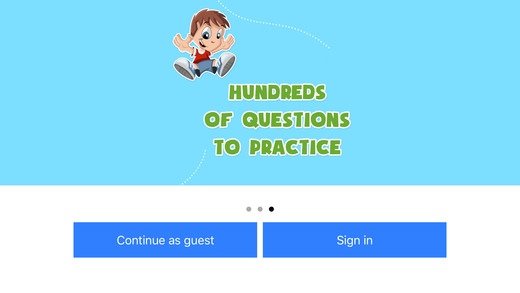
THIS IS ONLINE BASED APPLICATION
Test A Day is dedicated to provide innovative and exciting ways for children, to learn their Math Skills easily and effectively. Test A Day combines sound learning principles along with proprietary technology to offer a rich resource of interactive Math practice tests for school students.
KEY FEATURES
Engaging, self paced practice, that feels like play
Provides unlimited questions in hundreds of skills
Unmatched variety of problem types-fill in the blank, single multiple choice, multi multiple choice, match the following
Adapts automatically to fit each student s skill level
Gives immediate feedback and question-specific explanations &dynamic reporting suite
Uses vibrant & fun images to make Math s practice exciting!
Aligned to Common Core
Math practice tests for KG to 5th grade.
TOPICS COVERED
Our curriculum is designed in such a manner that the student automatically develops patience and interest in the subjects and inherently loses the fear of giving a test. Testaday is especially aimed at students who are Interested in the subject of Math. By giving a deeper understanding of the math subject, we aim to remove the math fear-factor that is so commonly found in school students. All the content is aligned to common core standards.
This app covers following topics:
1.Numbers
2.Counting
3.Addition
4.Addition Skill Builders
5.Subtraction
6.Subtraction Skill Builders
7.Comparing and ordering
8.Space and Spatial ability
9.Geometry
10.Measurement
11.Money
12.Time
13.Fractions
14.Classification and Data Handling
15.Multiplication
16.Multiplication skill Builders
17.Division.
18.Divison skill builders
19.Mixed operations
20.properties.
Requires iOS 8.0 or later. Compatible with iPhone, iPad, and iPod touch.
About Testaday
The company that develops Testaday is Petasoft Inc. The latest version released by its developer is 1.0.3.
To install Testaday on your iOS device, just click the green Continue To App button above to start the installation process. The app is listed on our website since 2016-06-03 and was downloaded 0 times. We have already checked if the download link is safe, however for your own protection we recommend that you scan the downloaded app with your antivirus. Your antivirus may detect the Testaday as malware if the download link is broken.
How to install Testaday on your iOS device:
- Click on the Continue To App button on our website. This will redirect you to the App Store.
- Once the Testaday is shown in the iTunes listing of your iOS device, you can start its download and installation. Tap on the GET button to the right of the app to start downloading it.
- If you are not logged-in the iOS appstore app, you'll be prompted for your your Apple ID and/or password.
- After Testaday is downloaded, you'll see an INSTALL button to the right. Tap on it to start the actual installation of the iOS app.
- Once installation is finished you can tap on the OPEN button to start it. Its icon will also be added to your device home screen.
Program Details
System requirements
Download information
Pricing
Version History
version 1.0.3
posted on 2016-06-03
Disclaimer
Official App Store Link
We do not host Testaday on our servers. We did not scan it for viruses, adware, spyware or other type of malware. This app is hosted by Apple and passed their terms and conditions to be listed there. We recommend caution when installing it.
The App Store link for Testaday is provided to you by apps112.com without any warranties, representations or guarantees of any kind, so access it at your own risk.
If you have questions regarding this particular app contact the publisher directly. For questions about the functionalities of apps112.com contact us.
